I still remember the Monday morning Sarah walked into my office—eyes red, double espresso in hand—and said, "I just spent three hours reconciling last week's appointments because someone forgot to log two walk-ins and we had another no-show mess." She ran a mid-sized salon in Austin, and honestly, that scene repeated itself every single week. Manual booking wasn't just inconvenient; it was bleeding her revenue dry, one missed slot at a time.
Here's what you'll walk away with: a clear, data-backed breakdown of how automated booking systems like DINGG stack up against traditional manual methods—and exactly how much money you're leaving on the table if you're still using paper calendars or basic spreadsheets.
The Pre-Flight Check: Are You Ready to Measure This?
Before we dive into the numbers, you need to know your baseline. Can you tell me—right now—how many no-shows you had last month? What's your average rebooking rate? If you're guessing, stop here. Pull last month's data (or your best estimate from appointment logs).
Stop/Go Test: Can you describe your current biggest booking pain point in one sentence? If yes, keep reading. If not, spend 10 minutes listing where your scheduling breaks down—double bookings, ghost clients, admin time—then come back.
You'll also need: a working website or Instagram page, a way to accept payments (even if it's just Venmo right now), and the willingness to track metrics weekly for at least a month. Manual systems can work if you're a solo stylist with 10 regulars. But if you're managing multiple chairs, staff commission splits, or eyeing a second location, automation isn't optional anymore.
The Money Reality: What Manual Booking Actually Costs
Let's talk numbers. The average U.S. salon doing manual booking loses 20-40% of potential revenue to no-shows when reminders aren't automated. That's not a typo. If you're running $20,000 a month in bookings, you're potentially losing $4,000 to $8,000 because clients forget or life happens and nobody nudged them.
I pulled data from salons that switched to DINGG, and here's what stood out: 89% reduction in no-shows within the first week of turning on automated reminders. Not 10%. Not 50%. Eighty-nine percent. That's because personalized SMS and WhatsApp reminders—layered, not just one generic email that lands in spam—cut through the noise. One owner in Phoenix told me she recovered $2,300 in a single month just from previously lost slots.
Then there's the invisible cost: admin time. Manual booking eats 5-10 hours per week on phone tag, double-checking calendars, fixing overlaps, and chasing down deposits. That's time you're not behind the chair generating revenue. DINGG users report saving 7+ hours weekly—time redirected to actual services or, you know, having a life.
But here's where it gets interesting. Client rebooking rates—the holy grail of predictable revenue—jump 20% on average when you use client profiles and AI scheduling. Why? Because DINGG tracks spending patterns, preferred stylists, and service history, then sends a "Hey, it's been 6 weeks since your balayage—want to rebook with Maya?" message at exactly the right moment. Manual systems can't do that unless you're manually tracking every client in a notebook (and let's be real, you're not).
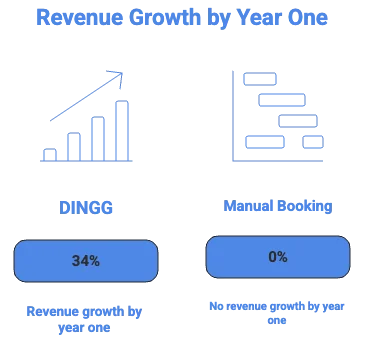
The bottom line: Salons using DINGG see 34% revenue growth in year one. That's an extra $6,800 per month on a $20,000 baseline. Manual booking? You're treading water, hoping clients remember to call back.
The Execution: How DINGG Actually Makes You More Money
Phase 1: Kill the No-Shows (Week 1)
What to Do:
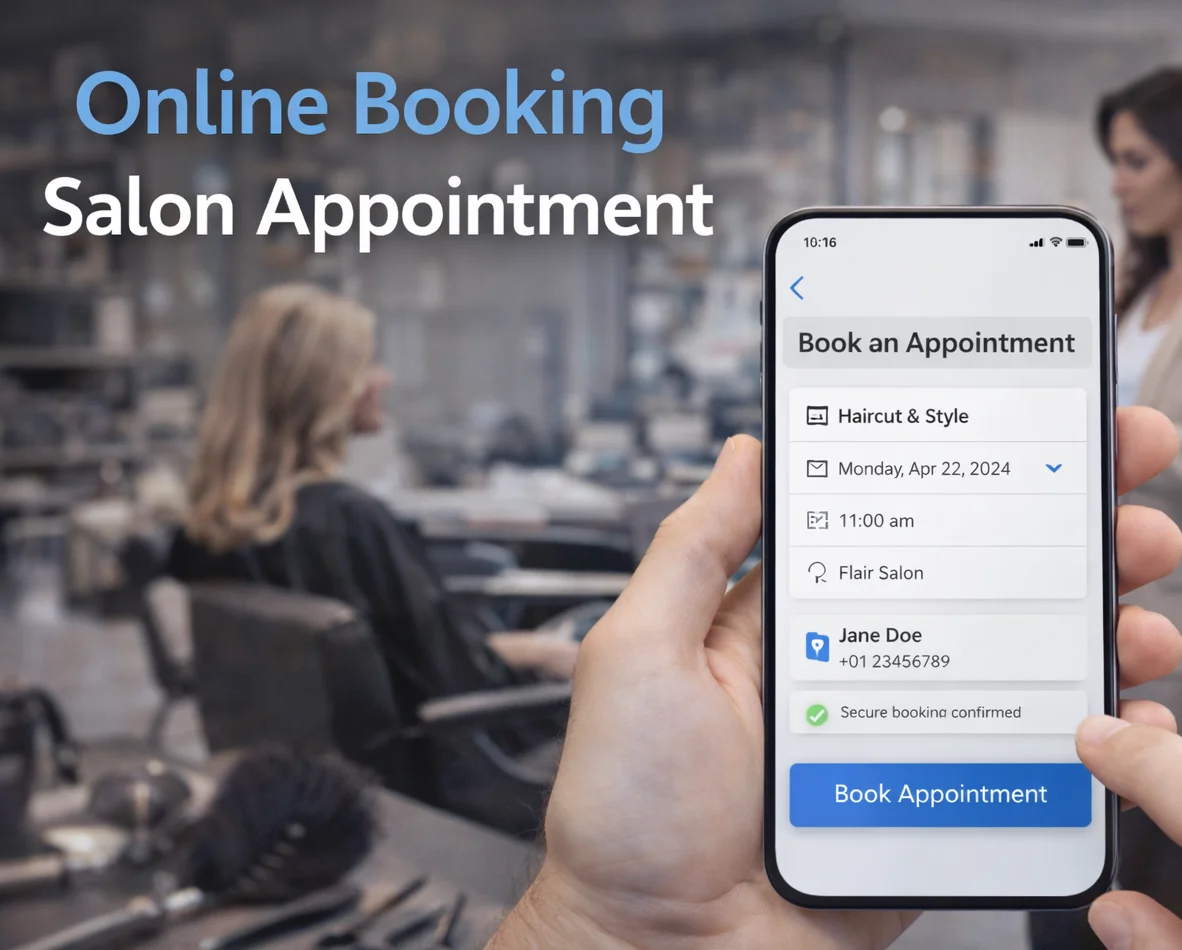
Embed DINGG's 24/7 booking widget on your website and Instagram bio link.
Turn on automated reminders—SMS and WhatsApp (not either/or).
Require deposits via integrated payments for all first-time clients and services over $100.
Visual Checkpoint: You should see an orange "Reminder Sent" icon next to every upcoming booking in your dashboard. If clients aren't getting texts within 24 hours of booking, stop—check your SMS gateway connection.
Verification: Pull your no-show rate from last month. After one week with reminders live, check again. If it hasn't dropped below 10%, you're either sending generic messages or clients opted out. Switch to WhatsApp—it has higher open rates than SMS in most markets.
The Expert Nuance: Here's what the vendor docs won't tell you—timing matters. Send the first reminder 48 hours out, the second 4 hours before. Anything earlier and it's noise; anything later and they've already made other plans. One salon I advised was sending reminders 7 days early and wondered why it didn't work. Adjust the cadence in DINGG's settings under "Client Communication."
Friction Warning: If you're multi-location, double-check that reminders pull the correct address and stylist name. Early DINGG setups sometimes default to the primary location for all messages—clients in your second site get confused and no-show anyway.
Phase 2: Automate the Rebooking Loop (Months 1-3)
What to Do:
Enable client profiles so DINGG tracks service intervals (e.g., color touch-ups every 6 weeks).
Turn on AI scheduling suggestions—it'll recommend optimal slots based on stylist availability and client history.
Set up post-appointment "rebook now" prompts in the checkout flow.
Visual Checkpoint: When you click into a client's profile, you should see their full service history, average spend, and a green "AI-Optimized" badge next to suggested rebooking dates. If it's blank or showing random dates, your service categories aren't mapped correctly in settings.
Verification: Track your rebooking rate weekly. You're aiming for a 20% increase by month three. If it's flat, clients aren't seeing the prompts—make sure your front desk staff is using the tablet checkout, not just taking cash and waving people out.
The Expert Nuance: AI scheduling isn't magic—it learns from patterns. If you just switched from manual, it needs 2-4 weeks of data to get smart. Don't judge it in week one. Also, override it when needed. I've seen owners blindly trust the AI and book a known "chatty client" into a 30-minute slot that realistically needs 45. Use it as a guide, not gospel.
Friction Warning: Multi-location owners hit a wall here if they don't centralize inventory and staff schedules. DINGG syncs calendars, but if your second site's stylists aren't logging hours correctly, the AI suggests slots when nobody's there. Weekly audits for the first month.
Phase 3: Integrate Payroll and Payments (Month 3+)
What to Do:
Link DINGG to your POS so sales, tips, and retail automatically feed into payroll.
Set up commission splits by service type (e.g., 50% on cuts, 40% on retail, custom for senior stylists).
Run your first automated payroll cycle and compare it to a manual calculation.
Visual Checkpoint: Your payroll dashboard should show real-time commission totals, tip tracking by stylist, and a "Ready to Process" green button. If you're seeing red flags or "Manual Entry Required" warnings, your POS integration isn't pulling data correctly.
Verification: Manually check 5 random services from the pay period. Do the commissions match what you'd calculate by hand? If not, your service category splits are misconfigured. Fix it before running payroll or you'll spend Monday morning dealing with angry stylists (been there).
The Expert Nuance: Tip tracking is where this gets messy. If clients tip in cash, DINGG can't auto-capture that—you need a policy where staff log cash tips daily. One workaround: incentivize digital tipping through the app by offering clients a "tip on file" option at booking. It's not perfect, but it cuts manual reconciliation by 80%.
Friction Warning: DINGG's payment processing fees aren't always transparent upfront. Test deposits and digital wallet payments in your first month and track the actual take-home per transaction. If fees eat more than 2.5%, negotiate or layer in a service charge to offset it.
The Ugly Truth: What Breaks (and How to Fix It)
Let's talk about the stuff that goes wrong. DINGG is powerful, but it's newer than legacy systems like Mindbody, which means the integrations ecosystem isn't as mature. Here's what I've seen blow up:
Why DINGG Wins the Money Game
Look, I'm biased here—I've seen the before-and-after too many times. Manual booking feels like you're in control, but you're actually just in the weeds. DINGG automates the stuff that leaks money (no-shows, missed rebookings, payroll errors) and frees you to focus on growth.
The ROI timeline is fast: 7+ hours saved in week one, 89% fewer no-shows by week two, 20% rebooking increase by month three, and 34% revenue growth by year one. That's not theoretical. That's data from salons in Austin, Phoenix, and Portland who made the switch.
Plus, the AI scheduling and client profiles create a competitive moat. Once DINGG learns your clients' patterns, it's like having a full-time operations manager who never sleeps. Manual systems can't replicate that unless you're hiring another person—which eats the profit you just gained.
Stop Losing Money to Manual Booking
If you're still juggling paper calendars or basic spreadsheets, you're leaving thousands on the table every month. DINGG automates no-show prevention, rebooking, and payroll so you can focus on what actually makes money: serving clients. See how salons are growing revenue by 34% in year one—explore DINGG's salon booking software.
FAQ: The Real Questions
How long does it take to see revenue growth?
You'll save time and cut no-shows in week one, but the full 34% revenue lift takes 6-12 months as AI learns your client patterns and rebooking cycles compound. Early wins (7+ hours saved, 89% fewer no-shows) happen immediately.
Why aren't my commissions calculating correctly in DINGG?
Your service categories aren't mapped to the right commission splits, or your POS isn't feeding real-time data. Go to Settings > Payroll > Service Splits and manually verify each category matches your pay structure.
Can DINGG handle multi-location scheduling?
Yes, but verify integrations carefully. Centralized calendars sync well, but if you're using third-party tools (like Google Calendar for personal stylist bookings), test the sync weekly for the first month to catch lags.
What if clients prefer calling to book?
DINGG's mobile-first design makes online booking easier than calling, but train your front desk to use the tablet for walk-ins and phone bookings. The system still captures the data for reminders and rebooking prompts.
How do I reduce no-shows if reminders aren't working?
Switch from SMS to WhatsApp—it has higher open rates. Also, require deposits for first-time clients and services over $100. Financial commitment cuts no-shows by another 15-20%.
Why is my multi-location dashboard lagging?
Check your internet bandwidth at the second location and verify all staff are logging hours correctly. DINGG's sync is fast, but garbage data in = garbage sync out.
Manual booking worked in 2015. It doesn't in 2025. The salons winning right now are the ones who automated the boring stuff and redirected that energy into client experience and growth. DINGG isn't perfect—no software is—but it's the difference between guessing at your revenue and knowing it's growing month over month.
What's your current no-show rate? If you don't know the answer, that's your sign.