
A card reader, a cash drawer and a tip jar, and at close the totals never match.
Every payment and tip on the ticket, the drawer counted at open and close, and the day's report in your inbox

 Salon POS System Every ticket right. Every tip credited. Every dollar on record.
DINGG's salon POS system checks out services, retail, memberships and gift cards on one ticket, takes cards with Tap to Pay or a card reader, splits tips across the people who did the work and adds sales tax by location.
4.9 from 1,700+ Google reviews5,000+ businesses in 16 countries








From booking to checkout, payment to commission: everything your team sees, on real DINGG screens.
Jump to
A salon POS system is the checkout of a salon: it turns a visit into a ticket, takes the payment and records who earned what. DINGG's POS also redeems memberships, packages and gift cards on the same ticket, splits one payment across a card and cash, splits the tip across the people who worked the service, and feeds every line into commission, payroll and reports. Every ticket becomes an invoice with your logo and business details, sent to the client by text or email.
Quick answer: A salon POS system checks out services and retail, takes card and cash payments, handles tips and sales tax, and links each sale to the person who made it. DINGG does this with Tap to Pay or a card reader, tips split across staff, deposits and cards on file, refunds on record and sales tax set for each location.
Most Americans tip for a haircut. Since 2025, tips also feed new federal tax items for salon employers and for the stylists, barbers, nail technicians and estheticians who earn them, and both depend on each tip being recorded against the right person. Sales tax adds its own layer: retail is taxable in states with a sales tax, and a few states, Iowa among them, tax salon services too.
A checkout that credits every tip to the person who earned it, applies the tax you set to each line and location, and keeps every payment on record keeps the day's numbers, and payday, clean. Your accountant decides the rates; DINGG applies them.
A card reader takes the payment. DINGG records everything the payment touches.
Reviews of DINGG by salon and spa owners on Google, quoted as written

Amazing Salon Management Software ever used, I liked ur billing , Inventory Management and multiple Reporting system a lot . very easy to operate...and Service is very prompt, Thanks DINGG team.
DINGG has made managing our salon much easier. We can handle appointments, billing, and customer records in one place. The software is user-friendly and helps us keep our daily operations organized.
The software is great. It runs smoothly and covers all the aspects of salon requirements. Support system is also very good..

We are using DINGG from last 2 years. It is really very useful software for salons. User friendly. The team is very helpful and available to support us, whenever our team have any kind of doubt.
Highly recomended software....its well designed and absolutely easy to work on.
Exceptional salon software! It's transformed our management, simplifying appointments, bookings, and client management. The intuitive interface and automated features like reminders and online booking have boosted customer satisfaction and retention. Detailed reporting and seamless functionality have saved time and reduced errors.
From the first service to the tip, on one screen.
The ticket opens from the appointment with the services, the stylist and the member rate already on it, at the right price for the stylist's level. Add retail, redeem a package session or a gift card, and park a ticket while the client finishes. A one-time code sent to the client's phone confirms every package, points or wallet redemption, so only she can spend her balance. When a friend pays for her own service, bill that part of the visit on a separate ticket.
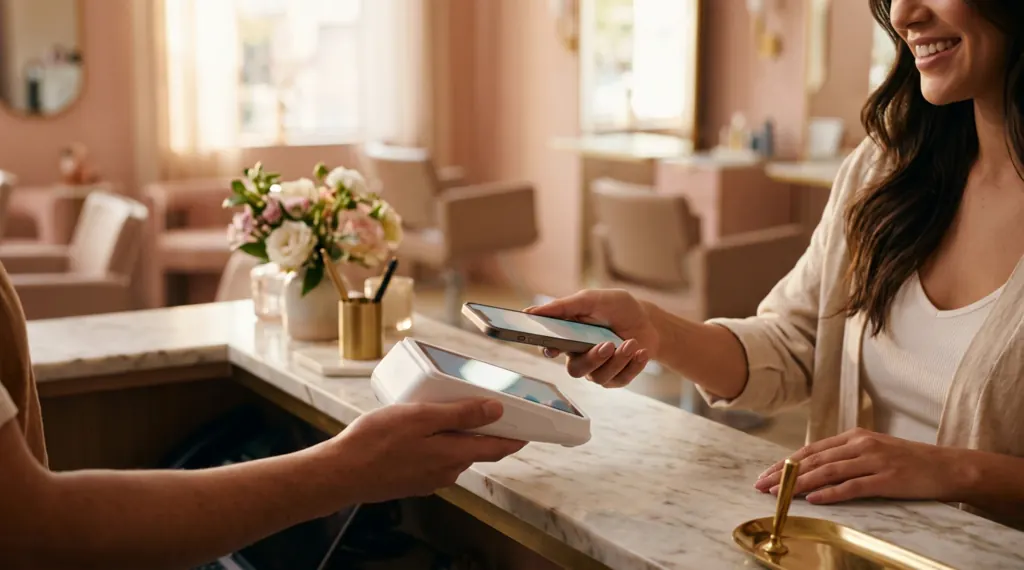
Take cards with Tap to Pay on iPhone and Android or with a card reader at the desk, keep a client's card on file for deposits and no-show fees, and split one ticket across a card, cash and a gift card. Optional surcharging is available where card network and state rules allow it. Cards are tokenized by the processor, and a part payment leaves the balance due on the client's record.
Clients add the tip at checkout. When two people work one service, split the tip between them, and every share lands on that person's pay record, ready for payroll with their commission.
Ask for a deposit on the services you choose, at the desk or when clients book online, and set your cancellation and no-show fees. The deposit shows on the ticket, so nobody forgets it at checkout.
Set the sales tax for each location, with tax groups for services and retail and prices shown tax-inclusive or tax-exclusive. Refund to a card, cash or the client's wallet with a refund status, only for the roles you allow. The audit log shows who edited a ticket, what changed and when, along with every payment, refund and adjustment, which helps at tax time.
At close, count the cash drawer bill by bill, log petty cash and the day's expenses with the receipt attached, and the daily report reaches your inbox with card, cash and tip totals for each location, so the close shows what really stayed in the business.
The best salon POS puts services, retail, memberships and gift cards on one ticket, takes cards and cash, splits tips across staff, handles deposits and sales tax, and links every sale to commission and reports. DINGG does all of this in one system with your calendar and client records.
DINGG does. Its POS opens the ticket from the appointment, checks out services, retail, memberships, packages and gift cards together, takes Tap to Pay, card readers and cards on file, splits tips across staff, adds sales tax by location and closes the day with the cash drawer counted.
Yes. Every checkout produces an invoice with your logo and business details, each service, product, discount, tip and tax line, and how it was paid, and the client gets it by text or email. Each location can have its own invoice numbering, and the invoice pulls everything from the appointment, so nobody retypes it at the desk.
Yes. Add an add-on service, extra product or a custom line, change quantities, apply a coupon, member rate or discount, and the client sees each line on the invoice. You decide which roles may give discounts or edit a ticket.
Yes. DINGG runs in the browser on a computer or tablet at the desk, and the DINGG app for iPhone, iPad and Android checks clients out at the chair. In the US, take cards with Tap to Pay on iPhone and Android, or with a card reader at the desk.
A computer or tablet at the desk, Tap to Pay on iPhone or Android or a card reader, and a receipt printer if you print tickets. A fingerprint device for clock-ins is optional.
Card payments for US accounts are processed by Payroc, DINGG's US partner, whether the client pays by Tap to Pay, a card reader or the card on file.
Optional surcharging is available through Payroc's pricing programs, where card network and state rules allow it. Some states don't allow surcharges, so the options depend on where your salon is.
Yes. Each service can carry three prices: your standard price, a senior-level price and a price for a named stylist. DINGG picks the right one from the booking, so the ticket is right before checkout.
Yes. A tip added at checkout can be split across the people who worked the service, and each share goes to that person's pay record for payroll.
Yes. Split one ticket across card, cash, a gift card or the client's wallet, or take part now and keep the balance due on the client's record.
You set the sales tax for each location, with tax groups for services and retail and tax-inclusive or tax-exclusive prices. DINGG applies the rates you set to every line; your accountant decides which rates apply.
Yes. Ask for a deposit on the services you choose, keep the client's card on file and set cancellation and no-show fees in your policy.
Yes. Refund to a card, cash or the client's wallet, with a refund status, for staff whose role allows it. Every change is kept in the audit log.
Yes. The audit log records who edited a ticket, what changed and when, and every payment, refund and adjustment, so a question at tax time or a mix-up at close is answered in minutes.
Cards are tokenized by the processor, and US accounts are hosted in the US. Staff see only what their role allows, with two-factor login and an audit log of edits.
Yes. Reports show sales by card, cash and other methods for each location, and the day's report can be emailed to you with PDF and spreadsheet attachments.
Invoices, expenses and payments sync to Zoho Books, and reports export to CSV for your accountant.
Yes. Massages, facials, packages and retail go on one ticket, with the sales tax you set for each location.
Yes. Import clients, history, memberships and stock from a spreadsheet yourself, or have DINGG's team do it for you, even from a photo of your price list. When DINGG's team does it, you can be live within 48 hours of DINGG receiving your data.
…it has made my life so much easier as a salon owner and the support from the team… has been incredible, they are literally just a call away to resolve any issues…
Tell us a little about your business. We'll build the demo on your real services and staff and show you what you'd pay.
 In the US, your demo and onboarding are delivered with Payroc, DINGG's US partner.
Our team will be in touch soon to book your demo.
Every tip credited to the person who earned it, your sales tax on every line, and the day's takings in your inbox.