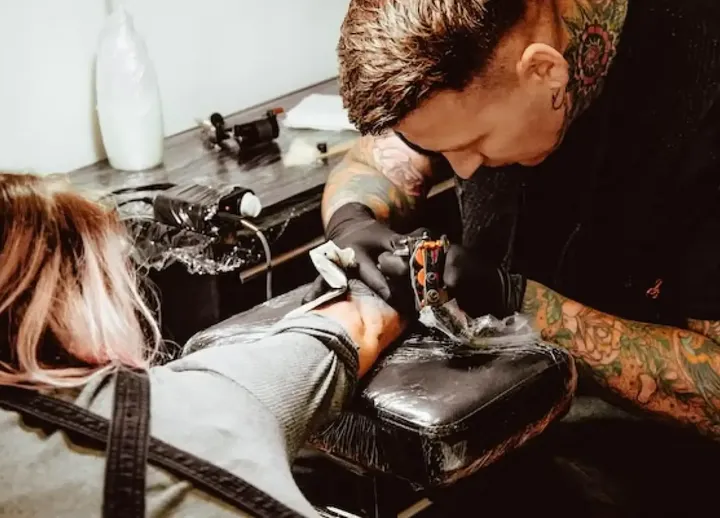

A no-show on a four-hour session.
A deposit on every booking, with a no-show fee on your policy.Online booking

 Tattoo Booking Software Deposit in. Consent signed. Every session booked.
DINGG is tattoo booking software that runs the business side of a studio: deposits and no-show fees on every booking, consent forms signed on the client's phone before the session, large pieces booked as a series, notes on the client's record and artist commission worked out from every ticket.
4.9 from 1,700+ Google reviews5,000+ businesses in 16 countries





Tattoo booking software, usually part of tattoo studio or tattoo shop management software, takes deposits, books sessions for each artist, sends consent forms before the appointment and keeps each client's history on record. DINGG covers the business side of a studio, from the deposit to the artist's commission.
Quick answer: Tattoo booking software is the system a studio uses to book artists, take deposits, collect signed consent and take payment. Look for deposits with a no-show fee, consent forms with e-signature, series bookings for large pieces and commission per artist. DINGG covers all of these in one system.
Pick the one that sounds like you, then switch between one location and several.
You tattoo most days, and bookings, deposits and paperwork happen between sessions.
Clients book a session, then ghost.
A deposit on every booking, and a no-show fee on your policy
Consent forms get filled in at the last minute, if at all.
Consent sent on booking and signed on the client's phone before the session
Booking requests pile up in your messages.
Your booking page with live availability, so clients pick a time themselves
Your second studio runs on a different system.
Both studios on one account, with one client record
You can't see either studio's day at a glance.
Every studio live on the owner app
Deposit rules differ between studios.
One cancellation and deposit policy across studios
Resident artists with their own followings, guest spots, and a split that has to be right.
Each artist keeps their own calendar.
Every artist's sessions on one studio calendar
Working out each artist's share takes a monthly spreadsheet.
Commission per artist from every ticket, fixed or tiered, on services and products
Tips get mixed up between artists.
Tips entered at checkout and credited to the artist
Artists work at more than one studio.
One pay record per artist, from every studio
Each studio tracks supplies differently.
Stock by studio, with transfers on record
You can't compare studios.
Sales and bookings by studio, side by side
Multi-session work over weeks or months, with deposits and part payments along the way.
Sessions two and three never get booked.
The whole piece booked as a series, with a reminder before each session
Part payments across sessions get lost.
Part payments on the client's record, with what's still due
Consultation notes end up on a scrap of paper.
Consultation notes pinned on the client's record
A client starts at one studio and finishes at another.
One client record across studios, with notes and payments
Each studio books series its own way.
The same series booking at every studio
You can't see how much is still owed on open pieces.
A total outstanding report across your studios
Walk-in piercings and booked tattoo sessions, jewelry on the shelf, and consent for both.
Walk-in piercings jam the desk while tattoo clients wait.
Walk-ins in a queue beside the booked sessions
Jewelry stock is counted by hand.
Jewelry sold at checkout comes off stock, with low-stock alerts by email
Piercing and tattoo consent need different forms.
A form for each service, sent automatically
Jewelry runs out at one studio while another has plenty.
Stock by studio, with transfers on record
Each studio uses different forms.
One set of forms shared across studios
The day's takings arrive by text from each studio.
Every studio live on the owner app, with a daily report email
From the first booking to the last checkout, here's what DINGG does while your team works.
Every long session today was booked with a deposit.
The noon client signed the consent form on their phone when they booked.
A walk-in takes the next place in the queue for an open artist.
Session 3 of 3 is booked before the client leaves, with a reminder set.
Sales, deposits and each artist's commission, in your inbox.
Reviews of DINGG by salon owners, quoted as written.
Exceptional salon software! It's transformed our management, simplifying appointments, bookings, and client management. The intuitive interface and automated features like reminders and online booking have boosted customer satisfaction and retention. Detailed reporting and seamless functionality have saved time and reduced errors.
We have been using this Software since a long time now, very user friendly, very easy to operate. To switch to this Software was the best decision ever. The best part is the Technical Support, they have always been very quick at responding to any of our concerns.
DINGG has made managing our salon much easier. We can handle appointments, billing, and customer records in one place. The software is user-friendly and helps us keep our daily operations organized.
The software is great. It runs smoothly and covers all the aspects of salon requirements. Support system is also very good..

Compare to other software I found DINGG Software much easier to use. Perhaps that's because of the training i received…
Been using this software for years now and i have found it user friendly, very efficient and have reduced a lot of paperwork. The team is quite helpful too.
Four screens your artists and front desk use every day.
Clients book a consultation or a session on your booking page, pay the deposit, get the consent form on booking and up to four reminders before the session. You choose which services need a deposit, and the card on file covers a no-show fee under your policy.
Your consent form goes out on booking. The client signs on their phone, and the signed form is stored on their record with the date and time, ready if you ever need it.
The session, aftercare products and jewelry go on one ticket, with the deposit already taken shown against it and sales tax set per location. Clients pay the balance by Tap to Pay, a card reader, the card on file or cash, and part payments carry what's still due.
Set commission per artist, fixed or tiered, on services and products, before or after supply costs. DINGG works it out as each session is checked out, adds tips, and keeps a pay record each artist can check.
Your clients, visit history, services, staff, memberships and gift card balances come across with you. Migration is run by a dedicated DINGG team, and you're live within 48 hours of us receiving your data.
we see how you run today and pick a go-live day away from your busiest week.
clients, visit history, services, staff, memberships and gift card balances.
your location goes live within 48 hours of us receiving your data.
the front desk, providers and managers learn the screens they use, with support in English or Spanish.
Compare to other software I found DINGG Software much easier to use. Perhaps that's because of the training i received…
They were very helpful in migrating the customer base from ZENOTI to DINGG.
…Smart scheduling, smooth POS, and easy client history tracking make daily operations effortless. The support team is quick and helpful every time.
Tattoo booking software should take a deposit on every booking, send consent forms before the session, book large pieces as a series and work out each artist's commission. DINGG does all of this in one system, from the deposit to the artist's pay.
You choose the services that need a deposit and how much it is, and clients pay it when they book online. Your cancellation and no-show policy is shown at booking, the card on file covers a no-show fee, and the deposit shows on the ticket at checkout.
Yes. DINGG sends your consent form on booking, the client signs on their phone, and the signed form is stored on their record with the date and time.
Yes. Book the sessions as a series with a reminder before each one, and track part payments and what's still due on the client's record.
From every ticket: fixed or tiered per artist, on services and products, before or after supply costs. Tips are credited to the artist who earned them.
Yes. Walk-ins take a numbered place in the queue beside booked sessions, each service can send its own form, and jewelry sold at checkout comes off stock.
Yes. DINGG runs in the cloud, on the web and on the app for iPhone, iPad and Android, so the studio's schedule, deposits and client records match on every device, and each artist can check and plan their week from their phone.
Yes. Each login gets a role that sets what it can see and change, such as client phone numbers, discounts, refunds and exports, and every edit is kept in the audit log.
Yes. Reports show sessions, sales, deposits and no-shows by artist, day and studio, a total outstanding report shows what's still owed on open pieces, and the daily report arrives by email after close.
Yes. Segments find clients by last visit and spend, and text and email campaigns go to them with your booking link. AI can draft the message, and nothing goes out until you approve it.
Yes. Create coupons and promo codes with their own rules, limited by weekday, time and staff role, and DINGG applies them at checkout.
Put your DINGG booking link beside your portfolio on your website and social media. Clients pick an artist and a time, pay the deposit and get the consent form, so a client who likes your work leaves with a session booked.
It depends on your artists, studios and the modules you use. DINGG doesn't publish prices; plans are shared in the demo, matched to your business.
Yes. A dedicated DINGG team moves your clients, visit history, services and artists, and you're live within 48 hours of us receiving your data. Your team is trained before go-live.
…it has made my life so much easier as a salon owner and the support from the team… has been incredible, they are literally just a call away to resolve any issues…
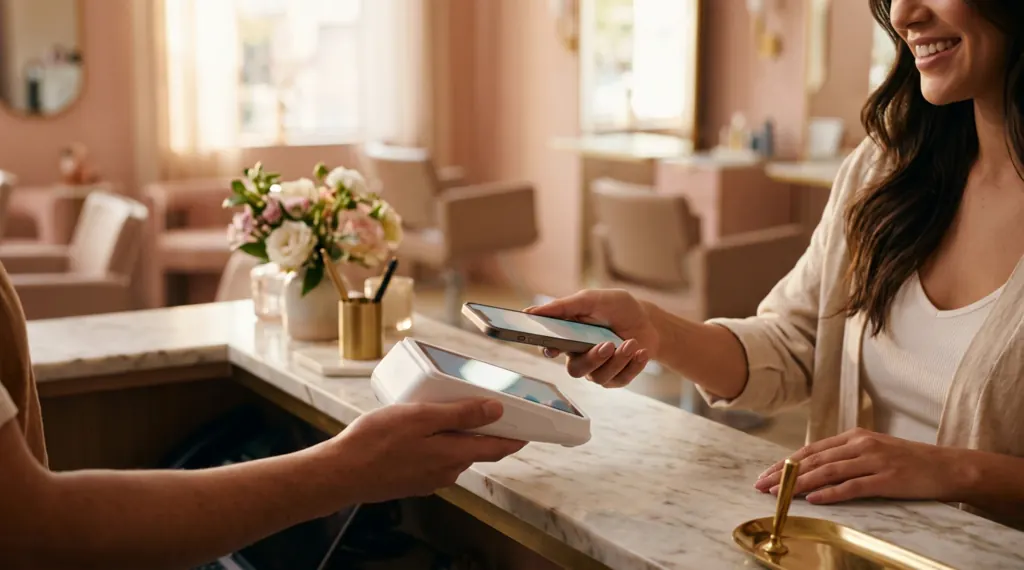
Tell us a little about your business. We'll build the demo on your real services and staff and show you what you'd pay.
 In the US, your demo and onboarding are delivered with Payroc, DINGG's US partner.
Our team will be in touch soon to book your demo.
A deposit and your no-show policy on every booking, consent signed on the client's phone, and large pieces booked session by session with the balance on record. We'll show you a three-session sleeve, from deposit to the artist's pay.