
How AI Is Transforming Salon Management in 2026
Author
AkshayDate Published
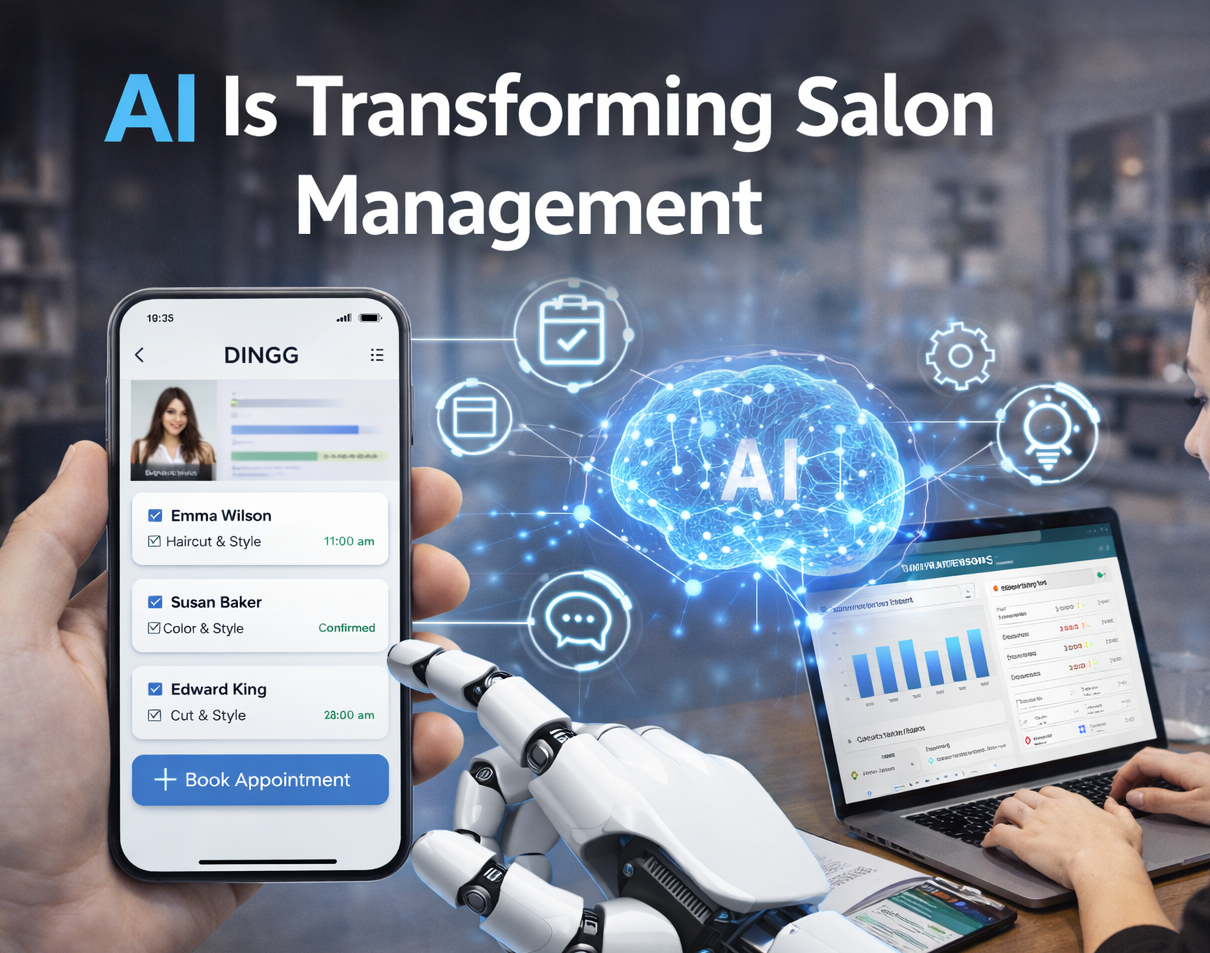
I remember visiting my friend Priya's salon in Bangalore last month. She was literally juggling three phones—one for WhatsApp bookings, another for UPI payments, and a third for coordinating with her staff. "I'm running a salon, not a call center," she said, exhausted. Two months later, she called me, and the stress in her voice was gone. She'd switched to salon management software with AI capabilities, and her no-show rate dropped from 32% to 9% in six weeks.
That's not a marketing claim—that's what happens when AI stops being a buzzword and starts being a tool that actually works for Indian salon owners, not against them.
The Promise: By the end of this guide, you'll know exactly which AI features actually reduce no-shows, which ones are just hype, and how to get your staff on board without the usual resistance drama. Plus, you'll see the real timeline and costs—no sugar-coating.
The Pre-Flight Check: Are You Actually Ready for This?
Before you start comparing salon booking software options, let's get brutally honest about your readiness. AI tools won't fix a broken process—they'll just automate your chaos faster.
Your Infrastructure Audit:
- Do you have stable internet (4G minimum) at your salon location?
- Can you dedicate 2 hours per week for the first month to train staff?
- Do you have your client data in any organized format (even WhatsApp chat exports count)?
- Are you currently tracking no-shows and cancellations, even manually?
The Stop/Go Test: Can you describe your biggest operational pain point in one sentence without using the word "everything"? If not, pause. Pick one problem (usually no-shows or staff scheduling) and focus there first.
What You Actually Need:
- A smartphone (yours or your receptionist's) with WhatsApp Business
- Basic client data (names, phone numbers, service history)
- Your staff's weekly availability patterns
- One person designated as the "tech champion" (usually your most patient employee)
Phase 1: Understanding What AI Actually Does in Your Salon
Let's cut through the noise. When salon software companies say "AI," they're usually talking about three specific things that matter to your bottom line.
AI Hair Styles Preview: Clients upload a photo, see themselves with different cuts/colors, and book with confidence. Priya told me this feature alone cut her consultation time by 15 minutes per client because people came in already decided. The visual checkpoint here is simple—if a client can see a realistic preview in under 10 seconds, the AI works. If it takes longer or looks cartoonish, it's not ready for prime time.
WhatsApp Automation for Reminders: This is where the magic happens for no-show reduction. The AI learns when to send reminders based on your client patterns. For morning appointments, it might send reminders the night before. For evening slots, it sends them at lunch. One salon owner in Mumbai told me his reminder open rate jumped from 45% to 68% just by letting the AI pick the timing instead of blasting everyone at 9 AM.
Staff Performance Analytics: Daily dashboards showing who's bringing in revenue, who's running late, and where your profitable hours are. The green "Optimal Shift" badge appears when the AI has balanced your team's workload properly—that's your visual confirmation it's working.
The Verification Test: Pull your booking calendar after one week. If 80% of appointments have blue tick icons showing auto-reminders were sent and read, your AI engagement is live. Anything below 60% means you need to troubleshoot your WhatsApp Business API setup.
The Ugly Reality Nobody Mentions: AI-powered insights only work if you actually look at them. I've seen salon owners pay ₹3,000/month for software they check once a week. The AI can predict your busiest hours, but if you're still scheduling staff based on "how we've always done it," you're wasting money.
Phase 2: Picking the Right Salon Booking System (Without Getting Scammed)
The salon software market in India is hitting $1.8 billion by 2029, which means everyone's launching a "revolutionary" platform. Here's how to separate the useful from the useless.
The Non-Negotiables:
1. GST-ready Billing with UPI POS integration—if it doesn't auto-generate compliant invoices, you'll spend hours fixing tax filing errors
2. Cloud salon software that syncs across devices without version conflicts
3. CRM client database that tracks preferences (like "allergic to ammonia" or "prefers stylist Meena")
4. Mobile-first design—your staff won't use it if it requires a laptop
The "Nice to Have" Features That Actually Matter:
- Inventory reordering alerts (flags low stock on popular dyes before clients complain)
- Loyalty programs that auto-trigger (free haircut after 5 visits without you remembering)
- Real-time analytics dashboard accessible via WhatsApp reports
The Feature Friction Table:
| Feature | Real-World Value | Common Failure Point |
|---------|------------------|---------------------|
| AI Booking Reminders | Cuts no-shows 20-40% | Spam filters in rural areas block 20% of messages |
| Staff Shift Scheduling | Reduces overtime disputes | Staff ignore it if not tied to commission tracking |
| GST/UPI Auto-Billing | Saves 2 hours daily on invoices | Migration errors from Excel cause first-month chaos |
| Client Photo Storage | Enables personalized service | Privacy concerns if GDPR-like controls aren't visible |
The Timeline Reality: Setup takes 1-2 weeks if you have organized data. If you're migrating from WhatsApp chaos, add another week. You'll see a 20% drop in no-shows by week 4-6. Full ROI (where the software pays for itself via saved time and increased bookings) typically hits around month 3-4, but only if you're actively using the analytics to make decisions.
Phase 3: Getting Your Staff to Actually Use It (The Hardest Part)
This is where most salon owners fail. You buy the hair salon software, do the training, and then three weeks later, everyone's back to the old WhatsApp system because "it's faster."
The Resistance Patterns I've Seen:
- "The app is too complicated" (Translation: I don't want to learn something new)
- "Clients prefer calling me directly" (Translation: I'm worried about losing my personal client relationships)
- "It takes longer to enter the booking" (This one is often true in week 1-2)
The "Weird" Community Fixes That Work:
Run a one-week contest: AI bookings vs. manual bookings. Track which method brings in more revenue. Announce the winner daily on your staff WhatsApp group. Tie a small bonus (even ₹500) to the winning method. Priya did this, and her resistant senior stylist became the biggest AI advocate by day 5 because she saw her commissions jump.
The Training Protocol That Doesn't Suck:
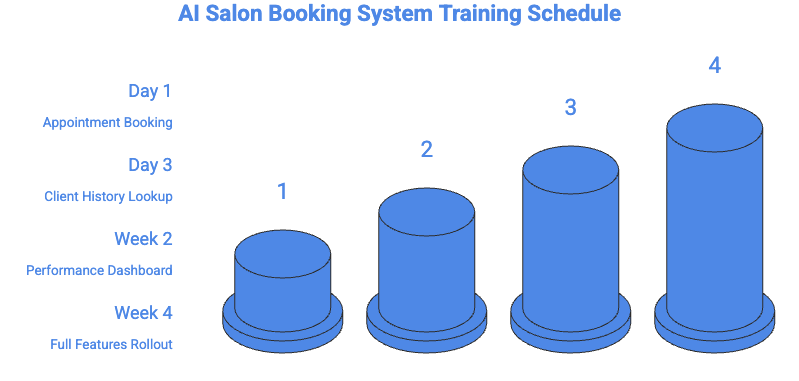
- Day 1: Only teach appointment booking. Nothing else.
- Day 3: Add client history lookup (so they see the value—knowing Mrs. Sharma hates blow-drying)
- Week 2: Introduce the performance dashboard (frame it as "see how much you earned" not "we're tracking you")
- Week 4: Full features rollout
Visual Checkpoint: When your staff starts checking the dashboard before you remind them, you've crossed the adoption threshold. Until then, expect hand-holding.
The Expert Nuance: Don't migrate everything at once. Keep WhatsApp as a backup for the first month. Tell your team, "If the app fails, fall back to WhatsApp, but log it in the system later." This safety net reduces anxiety and actually speeds up adoption because people aren't terrified of breaking something.
Phase 4: The "Ghost Errors" Nobody Warns You About
These are the problems that don't show up in software demos but will absolutely wreck your first month if you're not prepared.
The Ghost Error Table:
| Symptom | Root Cause | The Weird Fix That Works |
|---------|------------|--------------------------|
| Reminders land in spam | Weak opt-in compliance | Prefix messages with client's first name + emoji (👋 or 💇) for 20% better delivery |
| Staff double-books slots | Race condition in real-time sync | Lock shift assignments after AI schedules them—manual override requires manager approval |
| Inventory shows stock but you're out | Supplier API sync delays | Set manual WhatsApp backup alerts for your top 5 critical products |
| No-shows spike after AI launch | Generic, robotic reminder tone | A/B test 3 reminder styles—"family-like" language works better in India than formal corporate tone |
| Dashboard lags on 4G | Heavy graphics load | Switch to WhatsApp-delivered daily reports (text + simple charts) instead of live dashboard |
The Data Migration Nightmare: If you're moving from WhatsApp to a proper salon booking system, export your chats to CSV and import in batches of 100 clients. Don't try to do 1,000 at once—the duplicate detection will fail, and you'll spend days cleaning up duplicate profiles with slightly different phone number formats.
The Verification Check: After migration, manually audit 20 random client profiles. If more than 2 have duplicate entries or missing service history, pause and fix your import process before continuing.
Phase 5: Measuring What Actually Matters (Not Vanity Metrics)
Your software will show you 47 different reports. Here are the only 5 that matter in your first 90 days:
1. No-Show Rate by Time Slot
Baseline is usually 25-35% in Indian salons. After AI reminders, you should see 10-15% by week 6. If you're not hitting that, your reminder timing or tone is off.
2. Revenue per Staff Member
The AI should surface your top performers within 2 weeks. Use this for shift scheduling—put your best stylist in your busiest slot (the AI will tell you when that is, and it's probably not when you think).
3. Service Duration Accuracy
If the AI says haircuts take 45 minutes but your staff is consistently running 60 minutes, your scheduling will always be broken. Fix the baseline data first.
4. Repeat Booking Rate
Track clients who rebook within 45 days. If this drops after implementing AI, your automated reminders are too aggressive or impersonal.
5. Staff Dashboard Login Frequency
If your team isn't checking their performance daily within 3 weeks, they don't see value in it. This is your early warning system for adoption failure.
The ROI Math That Actually Works:
Let's say you're losing 8 appointments per week to no-shows at an average service value of ₹800. That's ₹25,600/month in lost revenue. If AI cuts that by 60%, you're recovering ₹15,360 monthly. Good salon management software costs ₹2,000-4,000/month. Payback happens in month 1, but the compounding effect (better scheduling, staff efficiency, loyalty programs) is where the real money is by month 3-6.
The Personalized Offers Game-Changer
This is the AI feature that separates mediocre software from actually useful salon booking software. The system tracks that Mrs. Verma comes in every 6 weeks for hair color. In week 5, it auto-sends her a personalized WhatsApp: "Hi Mrs. Verma! Your usual color appointment is coming up. Book this week and get 10% off."
One salon in Pune saw rebookings jump 28% just from this feature. But here's the catch—it only works if you've trained the AI with accurate service history. Garbage in, garbage out.
The Visual Checkpoint: Your CRM should show color-coded client status: Green (regular, books on schedule), Yellow (overdue for usual service), Red (hasn't booked in 3+ months). If you don't see this segmentation clearly, your AI isn't learning patterns properly.
> Struggling With Implementation Complexity?
>
> Look, I've watched too many salon owners buy software, get overwhelmed, and give up by month 2. DINGG was built specifically to avoid that trap—onboarding that doesn't require a tech degree, WhatsApp-native so your staff isn't learning a completely foreign interface, and GST-ready billing that actually works with Indian tax requirements. The first 30 days are hand-held (real humans, not chatbots), and the AI features turn on gradually as your team gets comfortable.
>
> See how DINGG handles the messy transition period
The Security Question Everyone Asks But Nobody Answers Honestly
"Is my client data safe?" is the question that stops 40% of salon owners from going digital. Here's the truth: Your WhatsApp client list is less secure than proper cloud salon software with encryption.
What to Verify:
- Is client photo data deleted after AI hair style previews? (It should be, immediately)
- Can you export your data if you cancel? (If the answer is no, run)
- Do they have visible privacy controls that clients can see? (This matters for educated, urban clients)
- Is the data stored in India? (Matters for compliance, though enforcement is still evolving)
The market is moving fast—45.2% of EU salons are already on cloud systems, and India is catching up rapidly in Tier 2 and 3 cities where mobile-first solutions are easier to adopt than desktop-based legacy software.
FAQ: The Implementation Questions You're Actually Wondering
How long before I see ROI from salon software?
3-4 months for full payback, but you'll see no-show reduction by week 4-6. The compounding benefits (staff efficiency, upsells from client data, reduced admin time) take 90 days to materialize because that's how long it takes to build enough data for the AI to make accurate predictions.
What if my staff refuses to use it?
Tie it to something they care about—commissions, shift preferences, or even just "less manual work." The contest method I mentioned earlier works because it's gamified and short-term. Also, pick your most tech-comfortable person as the champion who helps others (not you—it needs to be a peer).
Why are my AI reminders still going to spam?
Two reasons: You didn't get proper opt-ins (clients need to save your WhatsApp Business number), or your message templates are too promotional. Prefix with the client's name and keep the tone conversational, not corporate. Test with your own phone first.
How do I migrate WhatsApp data without losing client history?
Export chats to CSV (there are free tools for this), clean up the formatting in Excel (remove timestamps, emojis), then import in small batches. Budget 3-4 hours for 500 clients if you're doing it properly. The alternative is starting fresh, which is faster but means you lose service history that powers the AI recommendations.
Can I use salon booking software without stable internet?
Not really. You need at least 4G. Some systems have "offline mode" where data syncs later, but this causes conflicts if two people book the same slot. If internet is genuinely unstable in your area, wait until connectivity improves or look for SMS-based (not app-based) solutions.
Why is the AI overordering inventory?
Default thresholds are usually set for larger salons. Manually adjust your "low stock" triggers per product category. For example, your most popular shampoo might need reordering at 5 bottles remaining, but that specialty treatment you use once a month can wait until 1 bottle.
How do I convince clients to use the booking app instead of calling?
Offer a tiny incentive—even ₹50 off their next service for "first app booking." Once they see it's faster than calling and waiting on hold, they'll switch. But don't force it—keep phone booking as an option for older clients who genuinely struggle with apps.
What's the real cost beyond the software subscription?
Training time (your most expensive resource), potential loss of a few bookings during the messy first week of transition, and probably one month where you're running dual systems (old + new) to be safe. Budget ₹5,000-8,000 in "hidden" costs beyond the software fee for a smooth transition.
How do I handle clients who don't want their photos stored for AI hair styles?
Make it opt-in only, show them the immediate delete after preview, and offer a "skip this step" option. About 30% of clients will skip it initially—that's fine. The feature is for the 70% who love it, not mandatory for everyone.
Why did my no-shows go UP after implementing AI reminders?
Your reminder timing or tone is wrong. If you're sending reminders too early (3 days before), clients forget again. Too late (1 hour before), they've already made other plans. The sweet spot is usually 24 hours before for most appointment types. A/B test with 50 clients to find your optimal window.
The 2026 Reality: What's Actually Changing vs. What's Hype
AI hair style previews are real and work well in good lighting (they struggle with very dark or very bright salon lighting—calibrate with local skin-tone datasets if your client base is predominantly Indian).
Predictive inventory is hit-or-miss because it can't account for sudden trend shifts (like when a celebrity haircut goes viral and everyone wants that color).
Staff scheduling AI is genuinely useful but requires 4-6 weeks of data to learn your patterns—don't trust it in week 1.
The "AI will run your salon for you" marketing is nonsense. AI is a very good assistant, not a replacement for your judgment. It'll tell you Thursday 4 PM is your slowest slot, but you decide whether to run a promotion or give your staff a break.